

In This Blog Post
Share This Article
- Last Updated: Jul 4, 2026
- 🔊 Listen
TL;DR
- An efficient AP approval workflow speeds up invoice processing, reduces errors, and strengthens financial control.
- Standardised invoice submission and clear rules ensure invoices reach the right approvers without delays.
- Exception handling quickly resolves missing data, duplicates, and discrepancies in invoices.
- Best practices like three-way matching, simple hierarchies, and backup approvers improve accuracy and reliability.
- Tracking KPIs such as approval time, exception rate, and on-time payments highlights bottlenecks and performance gaps.
- Continuous monitoring and optimisation keep the AP workflow scalable, compliant, and aligned with growth.
An efficient accounts payable (AP) approval workflow is built by defining clear approval rules, assigning approval authority, standardizing invoice processing, automating routing, and monitoring performance to eliminate delays and errors. A well-designed workflow ensures invoices move through the right approval stages quickly, strengthens financial controls, reduces duplicate or unauthorized payments, and improves cash flow management.
In this guide, you’ll learn how to set up an efficient AP approval workflow step by step, discover best practices followed by high-performing finance teams, avoid common approval bottlenecks, and explore how automation can streamline your entire invoice approval process.

Fix Your Approval Process
No More Delays, Missed Discounts & Manual Follow-Ups
What is Accounts Payable Approval Workflow?
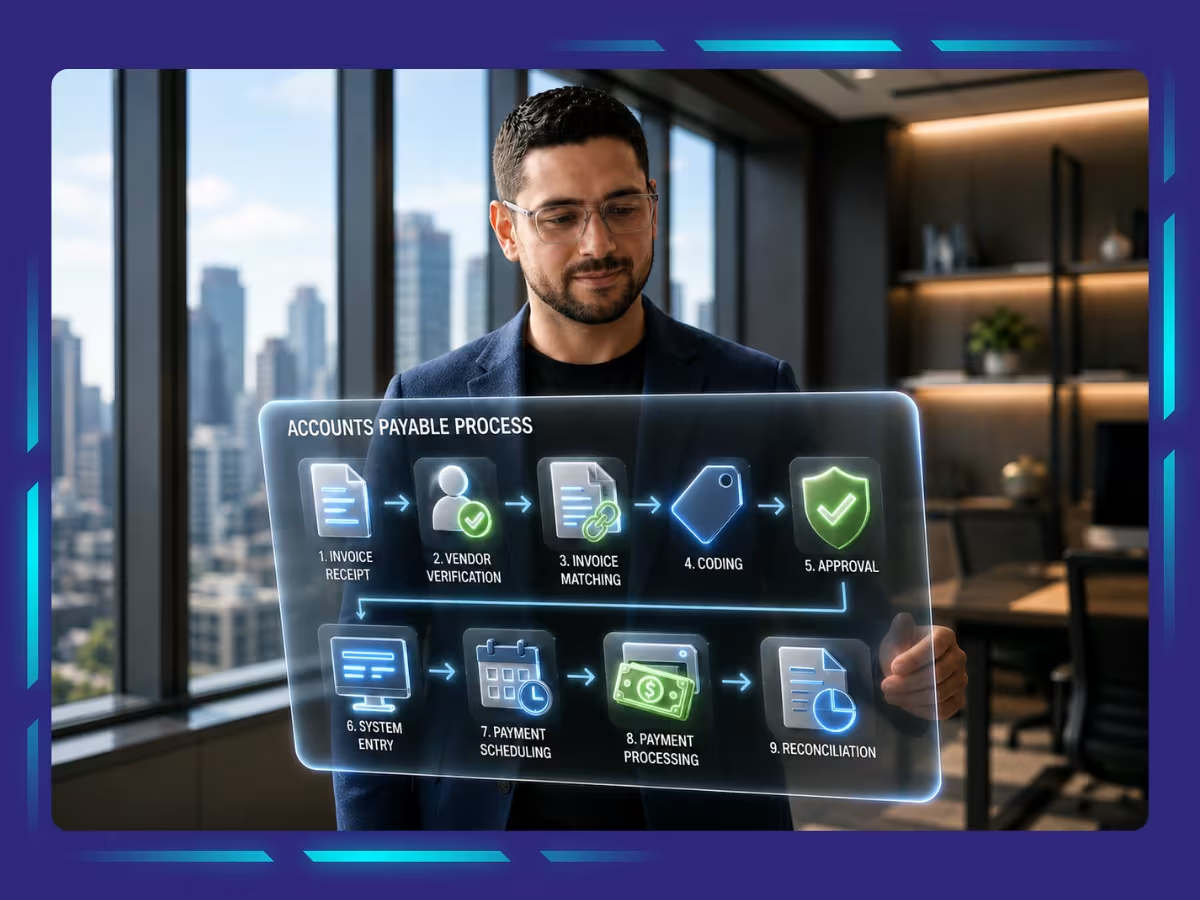
An accounts payable (AP) approval workflow is a structured process that governs how invoices are reviewed, approved, and authorized before payment. It defines approval rules, assigns approvers based on factors such as invoice value or department, and ensures every invoice follows a standardized approval path to prevent errors, unauthorized payments, and compliance issues. Key elements of an accounts payable approval workflow include:
- Invoice Submission: Invoices are received through standardized channels such as email, supplier portals, EDI, or OCR-based capture.
- Invoice Validation: Invoice details are verified for accuracy, including vendor information, purchase orders, pricing, taxes, and payment terms.
- Approval Routing: Invoices are automatically or manually routed to the appropriate approvers based on predefined approval rules.
- Approval Matrix: Define approval authority based on factors like invoice amount, department, project, or cost center so invoices reach the appropriate decision-makers.
- Three-Way Matching: The invoice is matched with the purchase order and goods receipt to verify that the order was fulfilled and billed correctly.
- Exception Handling: Any discrepancies, duplicate invoices, or missing information are identified and resolved before approval.
- Payment Authorization: Once all approvals are complete, the invoice is authorized for payment.
- Audit Trail: Every approval, rejection, and modification is recorded to support compliance, reporting, and future audits.
How to Set Up an Efficient AP Workflow: Step-by-step
An efficient AP workflow is set up by standardizing invoice submission, automating approvals, implementing verification controls, and continuously monitoring performance. Follow these eight steps to build a streamlined accounts payable process that improves accuracy, accelerates approvals, and strengthens financial control.
Step 1: Standardize Invoice Submission
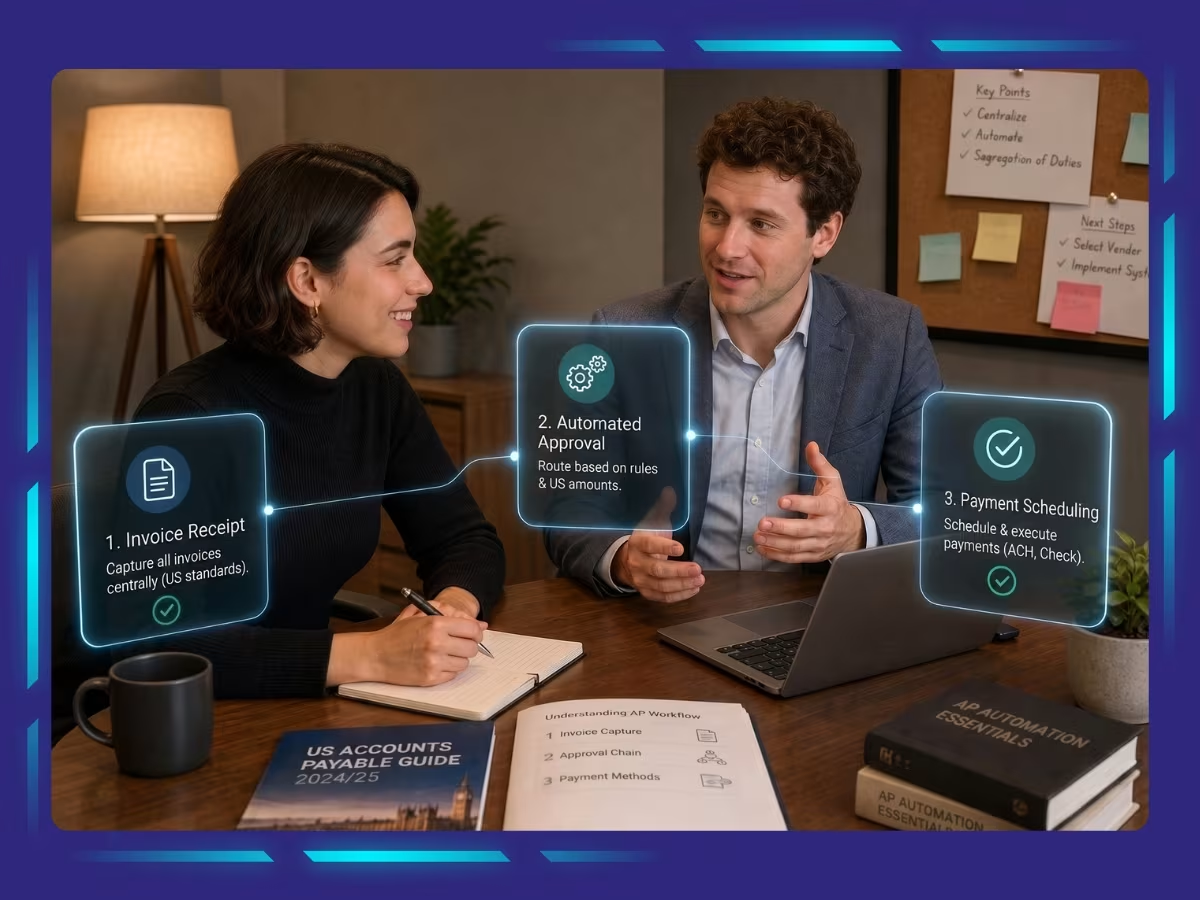
Use a consistent method for receiving invoices, whether through email, supplier portals, EDI, or OCR-based scanning. Standardizing invoice intake reduces missing information, minimizes manual data entry, and speeds up the approval process.
Step 2: Configure an Approval Matrix
Build an approval matrix that automatically routes invoices based on predefined business rules. For example, invoices below a certain amount may require one approval, while higher-value invoices need approvals from multiple stakeholders.
Step 3: Implement Three-Way Matching
Verify invoices by matching them against the corresponding purchase order and goods receipt. This confirms that the goods or services were ordered, delivered, and billed correctly before approval, reducing payment errors and fraud risks.
Step 4: Automate Approval Routing and Notifications
Leverage AP automation software to send invoices directly to the appropriate approvers. Automated reminders, notifications, and escalation rules keep approvals moving and prevent invoices from getting stuck in someone’s inbox.
Step 5: Create an Exception Management Process
Not every invoice follows the standard approval path. Define procedures for handling duplicate invoices, pricing discrepancies, missing purchase orders, disputed charges, or other exceptions so they can be resolved quickly without disrupting the workflow.
Step 6: Test and Roll Out the Workflow
Before implementing the workflow across the organization, test it with a small group of users. Validate approval rules, routing logic, notifications, and exception handling, then refine the process based on feedback before full deployment.
Step 7: Train Employees and Suppliers
Ensure approvers understand their responsibilities, approval timelines, and system usage. At the same time, educate suppliers on invoice submission requirements to reduce errors and improve first-time approval rates.
Step 8: Monitor, Measure, and Continuously Improve
Track key performance indicators such as approval cycle time, invoice processing time, exception rate, late payment rate, and first-pass approval rate. Regularly review workflow performance and adjust approval rules as your business grows or policies change.
AP Approval Workflow Best Practices
AP approval workflow best practices focus on standardizing approvals, automating processes, strengthening controls, and continuously improving performance. Implement the following best practices to reduce approval delays, improve compliance, and keep invoices moving efficiently.
Define Clear Approval Thresholds
Set approval limits based on invoice value, department, vendor, or expense category. This ensures each invoice reaches the right approver without unnecessary delays. Clear thresholds also prevent unauthorized spending and reduce confusion around who has the authority to approve specific payments.
Keep Approval Chains Simple
Avoid adding too many approval layers unless they are necessary for control or compliance. A shorter, well-defined approval chain keeps invoices moving faster, reduces bottlenecks, and helps approvers focus only on invoices that genuinely require their review.
Automate Invoice Routing
Use AP automation tools to route invoices to the right approvers based on predefined rules. Automated reminders, notifications, and escalations reduce manual follow-ups, prevent invoices from getting stuck, and improve overall approval turnaround time.
Implement Three-Way Matching
Match each invoice against the purchase order and goods receipt before approval. This confirms that goods or services were ordered, received, and billed correctly. Three-way matching helps prevent duplicate payments, pricing errors, and unauthorized vendor charges.
Create Backup Approvers
Assign alternate approvers for situations where the primary approver is unavailable due to leave, travel, or workload. Backup approvers help maintain workflow continuity, prevent payment delays, and ensure urgent invoices are not left pending for long periods.
Standardize Approval Policies
Create consistent approval rules across departments, vendors, and expense categories. Standardized policies reduce confusion, improve compliance, and make the AP approval workflow easier to manage. They also help employees understand what is required before an invoice can be approved.
Track Approval Turnaround Times
Monitor how long invoices remain with each approver and identify where delays commonly occur. Tracking approval times helps finance teams improve accountability, address recurring bottlenecks, and ensure invoices are approved before payment deadlines or discount opportunities are missed.
Maintain a Complete Audit Trail
Record every approval, rejection, change, comment, and timestamp within the AP workflow. A clear audit trail improves transparency, supports internal reviews, and simplifies external audits by showing exactly how each invoice moved through the approval process.
Review Approval Rules Regularly
Update approval of workflows whenever spending limits, business structures, approver roles, or compliance requirements change. Regular reviews ensure the process remains accurate, relevant, and scalable as the organization grows or introduces new departments, vendors, or cost centers.
Measure and Optimize Performance
Track key AP metrics such as approval cycle time, exception rate, late payment percentage, and first-pass approval rate. These insights help finance teams identify weak points, refine approval rules, reduce manual effort, and continuously improve workflow efficiency.
Key Metrics to Measure AP Approval Workflow Performance
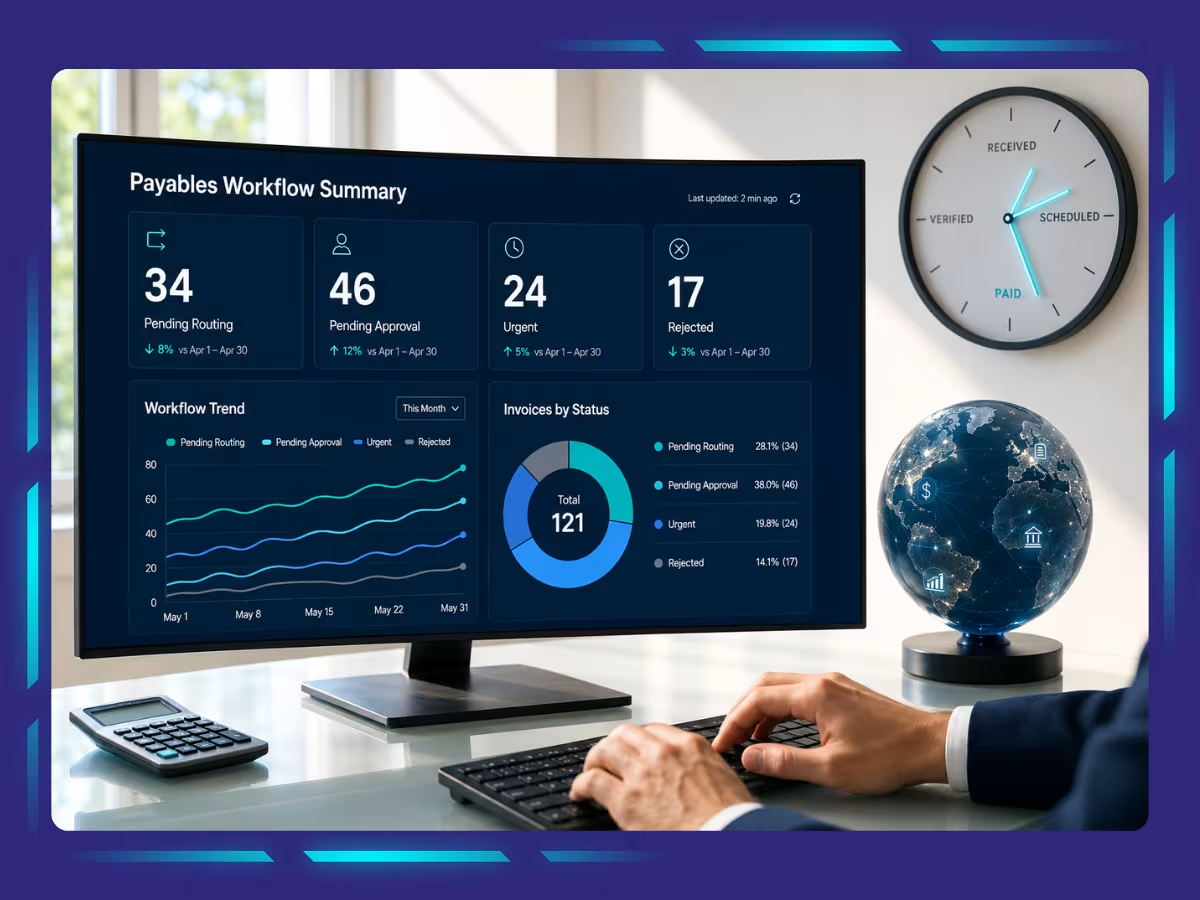
An AP approval workflow should be measured using KPIs that track approval times, processing efficiency, payment performance, and automation. Monitoring these metrics helps businesses identify bottlenecks, improve productivity, and strengthen financial controls.
Approval Cycle Time
Measure the average time it takes for an invoice to move from submission to final approval. A shorter approval cycle indicates an efficient workflow, while prolonged approval times often signal bottlenecks, unclear responsibilities, or excessive manual intervention.
Invoice Processing Time
Track the total time required to process an invoice from receipt through payment. Monitoring this metric helps identify inefficiencies in invoice capture, validation, approval, and payment, enabling finance teams to streamline the entire accounts payable process.
First-Pass Approval Rate
This metric measures the percentage of invoices approved without requiring corrections, resubmissions, or additional reviews. A high first-pass approval rate reflects accurate invoice data, standardized processes, and well-defined approval policies.
Exception Rate
Monitor how many invoices require manual intervention due to duplicate submissions, missing purchase orders, pricing discrepancies, or policy violations. A lower exception rate indicates stronger process controls and fewer disruptions in the approval workflow.
On-Time Payment Rate
Measure the percentage of invoices paid on or before the due date. Maintaining a high on-time payment rate helps avoid late fees, strengthen supplier relationships, and maximize opportunities to capture early payment discounts.
Cost per Invoice Processed
Calculate the average cost of processing a single invoice, including labor, technology, and administrative expenses. Reducing this cost over time demonstrates greater operational efficiency and a higher return on AP automation investments.
Approval Bottleneck Rate
Identify departments, approvers, or workflow stages where invoices consistently experience delays. Monitoring bottlenecks enables organizations to redistribute workloads, simplify approval chains, and keep invoices moving without unnecessary interruptions.
Percentage of Automated Approvals
Track how many invoices are approved through automated workflows rather than manual intervention. A higher automation rate reflects a mature AP process that improves efficiency, reduces human error, and allows finance teams to focus on exceptions.
Strengthen Approval Workflows with the Right AP Partner
Managing invoice approvals internally can be challenging, especially when businesses rely on manual follow-ups, unclear approval rules, and disconnected systems. Accounts payable outsourcing services help implement structured approval of workflows, automation, and verification controls to reduce delays, prevent errors, and improve payment accuracy.
With Whiz Consulting, businesses benefit from streamlined invoice processing, automated approval routing, accurate reconciliation and reporting, stronger financial visibility, and reduced administrative workload. This allows finance teams to focus on core operations while ensuring invoices are approved on time; payments remain controlled, and AP processes support healthier cash flow.

Get customized plan that supports your growth

Have questions in mind? Find answers here...
An AP approval workflow helps prevent unauthorized payments, reduces processing delays, improves compliance, minimizes invoice errors, strengthens internal controls, and ensures vendors receive payments on time. It also creates a clear audit trail for financial reporting and audits.
An AP approval matrix is a predefined set of rules that determine who can approve invoices based on factors such as invoice amount, department, vendor, project, or expense type. It ensures invoices are routed to the appropriate decision-makers.
An AP workflow covers the entire accounts payable process, from receiving invoices to making payments. An AP approval workflow is one part of that process and focuses specifically on reviewing, approving, and authorizing invoices before payment.
Three-way matching compares the purchase order, goods receipt, and supplier invoice to verify that the items ordered were received and billed correctly. This process helps prevent duplicate payments, billing errors, and fraudulent transactions.
Invoice approvals typically involve department managers, budget owners, procurement teams, finance managers, or senior executives, depending on the invoice value and company approval policies. Approval authority is usually defined through an approval matrix.
The ideal approval time depends on business size and invoice complexity, but many organizations aim to complete invoice approvals within one to three business days. Automated AP workflows can significantly reduce approval times compared to manual processes.
Thousands of business owners trust Whiz to manage their account
Let us take care of your books and make this financial year a good one.