


In This Blog Post
Share This Article
- Last Updated: Sep 10, 2026
- 🔊 Listen
TL;DR
- Accounting automation eliminates repetitive financial tasks through AI and workflow technology.
- AP, AR, payroll, reconciliations, reporting, and tax compliance can all be automated.
- Automation improves accuracy, reduces costs, and delivers real-time financial visibility.
- Successful implementation starts with process evaluation, clear goals, and the right software.
- Businesses that automate accounting can scale faster while focusing more on strategic growth.
As businesses grow, managing finances manually becomes increasingly difficult, time-consuming, and costly. What starts as a few monthly transactions can quickly evolve into thousands of invoices, payments, reconciliations, and compliance requirements. Accounting automation helps US businesses keep pace by using technology to handle routine financial processes with greater speed and accuracy.
As transaction volumes rise, automation gives finance teams a cleaner way to manage recurring tasks, reduce manual errors, and access accurate numbers without waiting for month-end. This guide explores everything you need to know about accounting automation, including its benefits, implementation steps, software options, and future trends.

Automate Smarter, Grow Faster
Expert accounting automation support tailored to your business.
What is Accounting Automation?
Accounting automation is the use of technology, including artificial intelligence (AI), robotic process automation (RPA), and cloud-based software, to execute repetitive financial tasks with minimal human intervention, replacing manual data entry and processing with fast, accurate, rule-based or AI-driven workflows that save time and reduce errors.
How Does Accounting Automation Work?
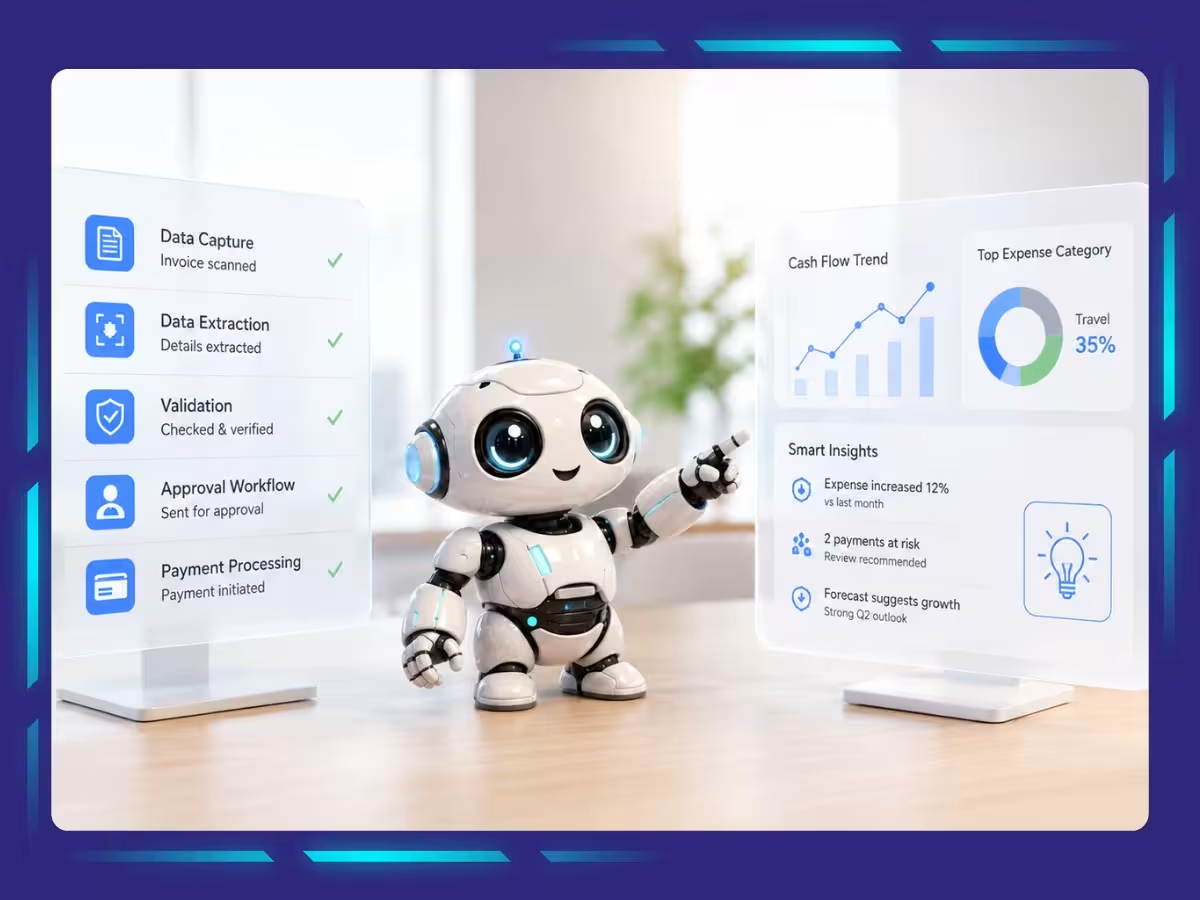
Accounting automation works by connecting your financial data sources, such as bank accounts, credit cards, payroll systems, and invoicing platforms, to software that can read, categorize, process, and report on that data automatically. Here is the basic flow:
- Data Capture: Financial transactions are pulled in automatically from bank feeds, POS systems, e-commerce platforms like Shopify or Amazon, or scanned documents using OCR (Optical Character Recognition) technology.
- Categorization and Coding: Algorithms for AI in accounting match transactions to the correct general ledger accounts based on historical patterns and pre-set rules, with no manual coding required.
- Approval Workflows: Invoices or expense reports above certain thresholds are automatically routed to the appropriate manager for approval, then processed once signed off.
- Reconciliation: The software automatically matches bank transactions to your books, flagging only the discrepancies that need human review, which drastically cuts close time.
- Reporting: Dashboards update in real time, giving you income statements, cash flow reports, and balance sheets without waiting for month-end processing.
- Compliance and Filing: Some tools automatically calculate sales tax across multiple US states, prepare IRS-compliant reports, and even file returns directly.
Which Accounting Processes Can Be Automated?
One of the most common questions US business owners ask is: what can actually be automated? The short answer is a lot more than you would expect. Here is a breakdown of the most commonly automated accounting processes:
1. Accounts Payable (AP)
Automated AP systems handle invoice receipt, data extraction, three-way matching (purchase order vs. invoice vs. receipt), approval routing, and payment execution. For a business processing hundreds of vendor invoices monthly, this alone can save dozens of hours.
2. Accounts Receivable (AR)
Automation sends invoices automatically, tracks payment due dates, fires off payment reminders, applies cash receipts, and reconciles open balances, all without a single manual touchpoint.
3. Bank Reconciliation
Instead of manually matching bank statements line by line, automation software pulls your bank feed and matches transactions to your books in seconds. Exceptions such as duplicate entries and missing transactions are flagged for review during the bank reconciliation process..
4. Payroll Processing
US payroll is notoriously complex, with federal withholding, state income taxes that vary across all 50 states, Social Security, Medicare, FUTA, SUTA, and more. Payroll automation handles all calculations, files required IRS forms like 941s and W-2s, and initiates direct deposits, cutting compliance risk significantly.
5. Expense Management
Employees snap photos of receipts on their phones. The software reads and categorizes the expense, checks it against company policy, routes it for approval, and reimburses, all automatically.
6. Financial Reporting and Month-End Close
Automated close tools cut month-end close time dramatically. Journal entries are auto-posted, accruals are calculated, and financial statements are generated in real time instead of days after period end.
7. Tax Preparation and Sales Tax Compliance
For US businesses selling across state lines, post-South Dakota v. Wayfair sales tax compliance is a real headache. Automation tools like Avalara or TaxJar automatically calculate, collect, and remit sales tax across all applicable states, keeping you on the right side of each state’s Department of Revenue.
8. Cash Flow Forecasting
AI-powered forecasting tools analyze your historical cash flow, outstanding invoices, and upcoming obligations to predict your financial position weeks or months out, enabling smarter decisions about investments, hiring, or credit.
Accounting Automation vs. Traditional Accounting
To understand just how transformative accounting automation is, it helps to stack it directly against the traditional approach:
| Aspect | Traditional Accounting | Accounting Automation |
|---|---|---|
| Data Entry | Manual, error-prone, time-consuming | Auto-captured from bank feeds and documents |
| Speed | Days to weeks for close cycle | Real-time or near-real-time processing |
| Accuracy | Susceptible to human error | Consistent, rules-based accuracy |
| Scalability | More volume means more headcount | Scales without proportional cost increase |
| Compliance | Manual checks, risk of missing deadlines | Auto-calculated, auto-filed, audit-ready |
| Cost | High labor costs for routine tasks | Meaningful reduction in labor costs |
| Visibility | Delayed, periodic reporting | Real-time dashboards and KPIs |
| Talent Focus | Staff bogged down in data entry | Team shifts to advisory and strategic roles |
What Are the Benefits of Accounting Automation?
The case for accounting automation is backed by real, measurable outcomes that US businesses are experiencing right now. Here is what the data and real-world results consistently show:
1. Massive Time Savings
Routine tasks that once consumed your team’s week, such as data entry, reconciliation, and invoice chasing, happen automatically. Accounting professionals across the US report that automation has helped them deliver more value to clients by freeing up significant time that was previously lost to manual work.
2. Fewer Errors, Stronger Accuracy
Manual accounting is susceptible to transposition errors, duplicate entries, and miscategorizations. Automated systems follow consistent rules every single time. This is especially critical when filing with the IRS or managing multi-state sales tax obligations.
3. Significant Cost Reduction
Cloud-based accounting automation can produce a meaningful reduction in labor costs. For a growing US business, that is a real line-item saving, whether it comes from redirecting headcount to higher-value work or avoiding new hires altogether as transaction volume scales up.
4. Real-Time Financial Visibility
Gone are the days of waiting two weeks after month-end to know if you turned a profit. With accounting automation, business owners and CFOs get live dashboards showing cash position, outstanding receivables, and expenses by category, all updated continuously throughout the day.
5. IRS and Multi-State Compliance Made Easier
US tax compliance is complex. Between federal tax deadlines, the varying tax codes across all 50 states, payroll tax filings, and the post-Wayfair sales tax environment, staying compliant manually is essentially a full-time job. Automation software stays current with regulatory changes and handles the heavy lifting for you.
6. Better Employee Experience
When your accounting team is not buried in data entry, they are simply happier and more productive. In a tight labor market where talent shortages remain a persistent challenge for US finance departments, an environment where staff can focus on meaningful work is a genuine competitive advantage for retention.
7. Scalability Without Proportional Cost
Whether you are processing 500 invoices a month or 5,000, automation handles the volume without requiring you to double your team. This is a game-changer for fast-growing e-commerce businesses, franchises, and multi-location operations across the US
8. Strategic Shift to Advisory
The highest-value work an accountant does is not bookkeeping. It is analysis, planning, and advising. Automation frees your team to do exactly that. US accounting firms that have invested in automation consistently report being able to expand their advisory service offerings, which also tend to carry stronger margins than traditional compliance work.
Common Accounting Automation Challenges and How to Overcome Them
No technology is a silver bullet. Accounting automation comes with its own set of challenges, but each one has a practical solution if you plan ahead.
Challenge 1: Resistance to Change
Your team may worry that automation will replace their jobs. In reality, it shifts what those jobs look like, from data entry to analysis. How to overcome it: Involve your accounting staff early in the selection process. Position automation as a tool that makes their work more interesting and impactful, not one that makes them redundant.
Challenge 2: Integration With Legacy Systems
Many US businesses still run on older ERP or accounting platforms that were not built with automation in mind. How to overcome it: Choose automation software with broad API connectivity and pre-built integrations. QuickBooks Online, for example, connects to more than 750 apps, and Xero integrates with over 1,000 third-party tools.
Challenge 3: Data Quality and Migration
Garbage in, garbage out. If your existing financial data is messy, automation will replicate those mistakes at scale. How to overcome it: Conduct a thorough data clean-up before migration. Work with an experienced accounting consultant to map, validate, and migrate your chart of accounts cleanly.
Challenge 4: Training and Adoption
Many US accounting firms find that their training programs do not fully equip employees with the technology skills needed today. How to overcome it: Invest in structured training and partner with your software vendor’s onboarding team. Most platforms offer certification programs designed specifically for US accounting professionals.
Challenge 5: Cybersecurity and Data Privacy
Cloud-based accounting software holds sensitive financial data. US businesses must ensure their vendors comply with SOC 2 Type II standards, the FTC Safeguards Rule (particularly for financial services firms), and applicable state data privacy laws. How to overcome it: Vet your vendor’s security certifications, use multi-factor authentication and role-based access controls, and confirm that your software is hosted on US-based servers if data sovereignty matters.
Challenge 6: Initial Cost and ROI Timeline
Enterprise automation software can carry significant upfront or subscription costs. How to overcome it: Start with the processes that offer the fastest payback, typically AP automation and bank reconciliation. Use ROI calculators provided by most vendors, and expect meaningful returns within the first year for most well-planned implementations.
How to Implement Accounting Automation in 5 Steps
Here is a practical, proven framework for rolling out accounting automation in your US business, whether you are a solo operator or running a multi-entity organization.
Step 1: Audit Your Current Accounting Processes
Before you automate anything, map out what you are currently doing manually. Which tasks consume the most time? Where are errors most common? What are your biggest compliance pain points? For US businesses, common answers include multi-state sales tax compliance, payroll processing, and month-end close. Prioritize these for automation first.
Step 2: Define Your Goals and Success Metrics
Are you trying to cut close time from 10 days to 3? Reduce AP processing costs significantly? Eliminate payroll errors? Define specific, measurable KPIs before you choose a tool. This will also help you evaluate ROI after implementation.
Step 3: Choose the Right Software
Match your automation software to your business size, industry, and integration needs. Small businesses in the US typically start with QuickBooks Online or Xero. Mid-market companies often graduate to Sage Intacct. Enterprise operations turn to NetSuite or Microsoft Dynamics 365.
Step 4: Migrate, Configure, and Integrate
Work with your accounting team or an outside consultant to migrate your chart of accounts, set up automation rules, and connect your bank feeds, payroll platform, and other data sources. Test everything before going live. Run parallel processing for at least one period to catch discrepancies.
Step 5: Train, Monitor, and Optimize
Roll out training for all users. Monitor error rates, close times, and staff hours on routine tasks in the first 90 days. Use that data to fine-tune your rules, approval workflows, and reporting dashboards. Accounting automation is not a set-it-and-forget-it project. It improves with ongoing tuning.
Popular Accounting Automation Software
Here is a look at the most widely used accounting automation platforms in the US market, along with what each one is best suited for:
| Platform | Best For | Key Automation Features |
|---|---|---|
| QuickBooks Online | Small to mid-size US businesses | Bank feeds, auto-categorization, payroll, invoicing, 750+ integrations |
| Xero | Growing businesses, accountants | AI reconciliation, 1,000+ integrations, real-time collaboration |
| Sage Intacct | Mid-market, nonprofits, SaaS | Advanced AP/AR, multi-entity, GAAP compliance, real-time reporting |
| NetSuite ERP | Mid-market to enterprise | End-to-end ERP, multi-currency, multi-jurisdiction tax, full automation |
| FreshBooks | Freelancers, service businesses | Automated invoicing, expense tracking, time billing, client portal |
| BILL (Bill.com) | AP/AR automation specialists | AI invoice processing, approval workflows, ACH and check payments |
| Zoho Books | SMBs in the Zoho ecosystem | Workflow automation, CRM integration, multi-tax compliance |
How to Choose the Right Accounting Automation Software
With so many options on the market, picking the right platform can feel overwhelming. Here are the key criteria US businesses should evaluate:
Business Size and Complexity
A sole proprietor in Miami has different needs than a multi-entity retailer in Chicago. Start there. QuickBooks and FreshBooks work well for smaller operations, while Sage Intacct and NetSuite scale for larger ones.
Industry-Specific Compliance
If you are in healthcare, you may need HIPAA-compliant data handling. If you are in financial services, look for FTC Safeguards Rule and SOC 2 Type II compliance. If you are an e-commerce seller across multiple states, prioritize robust sales tax automation.
Integration Ecosystem
Your accounting software should not live in isolation. It needs to connect with your payroll provider (ADP, Gusto, Paychex), your e-commerce platform, your CRM, and your bank. Check the integrations library before committing.
Ease of Use vs. Feature Depth
Some platforms like QuickBooks and FreshBooks prioritize simplicity. Others like NetSuite and Sage Intacct prioritize depth. Be honest about your team’s technical capability and training bandwidth.
Scalability
If you are growing fast, choose a platform that can grow with you or one that has a clear upgrade path. Switching accounting systems mid-growth is painful and costly.
Total Cost of Ownership
Beyond the subscription fee, factor in implementation costs, training time, and any add-on modules. Some platforms carry significant implementation overhead, while others are designed for faster, lower-cost onboarding.
Vendor Support and US-Based Resources
Look for vendors with US-based support teams, strong documentation, and a certified partner network. For instance, QuickBooks offers robust automation features alongside a large ProAdvisor network across the US that can help with setup, training, and ongoing support.
Future Trends in Accounting Automation
The pace of change in accounting automation is accelerating. Here is what is coming down the pipeline for US businesses and accounting firms:
Agentic AI and Autonomous Finance
The next wave is not just AI that categorizes transactions. It is AI that proactively manages workflows end to end. Agentic AI systems will soon be able to detect an anomaly, investigate it, generate a correction, seek approval, and post the entry with minimal human involvement. Firms that invest early in this capability will have a meaningful competitive head start.
Hyper-Automation of Bookkeeping
Hyper-automation combines RPA, AI, and process orchestration to eliminate virtually all manual touchpoints from standard bookkeeping workflows. Industry analysts consistently identify this as one of the strongest near-term opportunities for accounting efficiency improvement, and it is expected to become table stakes for competitive US accounting firms within the next few years.
Real-Time Tax Compliance
The IRS has been modernizing its systems through its Strategic Operating Plan, and more real-time tax reporting is on the horizon. Automation tools will need to interface directly with federal and state revenue departments for real-time e-filing and compliance monitoring, especially as digital asset reporting requirements expand under current IRS guidance.
Embedded Finance and Banking Integration
Accounting software is increasingly blurring with business banking. Some neobanks and fintech platforms already offer embedded accounting automations that sync directly with QuickBooks Online, NetSuite, and Xero. Expect more financial institutions to offer native accounting automation, reducing the gap between financial data and financial management.
Proprietary AI Models for Accounting Firms
A growing number of US accounting professionals report that proprietary AI systems are in use or planned for development at their firms, tailoring AI to specific workflows, client bases, and compliance requirements. Firms that build customized automation ecosystems will have a competitive advantage in attracting and retaining clients.
ESG and Climate Financial Reporting Automation
The SEC’s climate disclosure rules are expanding the scope of financial reporting to include greenhouse gas emissions and climate-related financial risks. Automation tools are already beginning to integrate ESG data capture and reporting, a trend that will accelerate significantly as compliance deadlines approach for US public companies and their supply chain partners.
Start Automating Your Accounting Processes Today with Expert Support!
Accounting automation is not just a future trend for US businesses to keep an eye on. It is the competitive reality of right now. From accounts payable and payroll to real-time cash flow visibility and multi-state tax compliance, the technology is mature, accessible, and delivering measurable ROI across businesses of every size. Whether you are a small business owner in Dallas spending too many nights on spreadsheets or a CFO in New York managing a complex multi-entity structure, the right automation strategy will save you time, reduce errors, cut costs, and free your team to focus on what actually moves the needle.
At Whiz Consulting, we specialize in helping US businesses implement, optimize, and manage accounting automation the right way, from software selection and migration to ongoing bookkeeping, payroll, and compliance support. Our team of certified accounting professionals brings deep expertise in QuickBooks, Xero, Sage Intacct, and more, tailored to your industry and growth stage. Stop losing hours to manual processes and start making data-driven financial decisions. Contact Whiz Consulting today for a free consultation and discover how much time, money, and stress accounting automation can save your business.

Get customized plan that supports your growth

Have questions in mind? Find answers here...
Accounting automation uses AI and workflow tools to complete tasks like categorization, invoicing, and reconciliation automatically, while bookkeeping software still depends on manual input.
No. Small businesses can use tools like QuickBooks Online, Xero, and FreshBooks to save time, reduce errors, and improve profitability.
Reputable platforms use SOC 2 compliance, encryption, MFA, backups, and role-based access controls to protect sensitive business and financial data.
Accounting automation costs vary by tool, features, users, integrations, and transaction volume. Small businesses can start with affordable cloud-based plans.
Many businesses use both: automation for routine tasks and outsourcing for complex work like tax strategy, compliance, reporting, and financial analysis.
Thousands of business owners trust Whiz to manage their account
Let us take care of your books and make this financial year a good one.