


Table of Content
Share This Article
- Last Updated: Jun 10, 2026
- 🔊 Listen
TL;DR
- Ecommerce businesses face challenges like multi-platform transactions, tax compliance, and inventory control demanding precise management.
- Accounting automation software streamlines tasks such as reconciliation, reporting, and tax filing.
- QuickBooks, Xero, Zoho Books, and Sage are top choices offering automated accounting for ecommerce businesses.
- Automation ensures accurate insights, fewer errors, and steady cash flow for ecommerce growth.
- An ecommerce accountant can optimise these tools to boost efficiency and profitability.
Running an online store in the UK comes with unique accounting challenges, juggling multi-channel sales, tax compliance, and inventory management can quickly become overwhelming. The best e-commerce accounting software for UK businesses simplifies these tasks, automates workflows, and provides real-time insights to keep your business profitable.
This 2026 comparison highlights the top ecommerce accounting software options for UK businesses, detailing how each handles bookkeeping, tax obligations, multi-platform integration, and reporting. By exploring these tools, you can streamline operations, reduce errors, and make smarter, data-driven financial decisions that fuel growth and scalability.

Upgrade Your Ecommerce Accounting Today
Stop Data Silos, MTD Stress & Multi-Channel Reconciliation Issues Now
Benefits of Best E-commerce Accounting Software for UK Businesses
For UK e-commerce businesses, skilled e-commerce accounting service providers streamline financial operations, ensuring accurate VAT reporting, real-time cash flow visibility, and automated inventory tracking, ultimately saving time and supporting smarter, growth-focused business decisions.
Here’s how automation directly benefits e -commerce businesses:
- Saves time and reduces errors: Automating data entry, reconciliations, and report generation eliminates manual input mistakes and frees up hours each week.
- Improves cash flow visibility: Real-time syncing of sales, expenses, and payouts gives a clear view of available cash and upcoming obligations.
- Simplifies VAT and MTD compliance: Automatically calculates and reports VAT on sales and purchases, ensuring filings under Making Tax Digital are faster and stress-free.
- Enhances inventory control: Tracks stock levels and updates cost of goods sold (COGS) automatically across multiple sales channels.
- Strengthens financial reporting: Auto-generates dashboards, profit margins, and performance insights to support data-driven decisions.
- Supports scalability: Automation scales easily as transaction volumes grow, ensuring your accounting system can handle busy seasons without extra staff.
- Integrates platforms seamlessly: Connects e-commerce stores, payment gateways, and accounting software to maintain one source of truth for financial data.
Which E-Commerce Accounting Tasks Can You Automate?
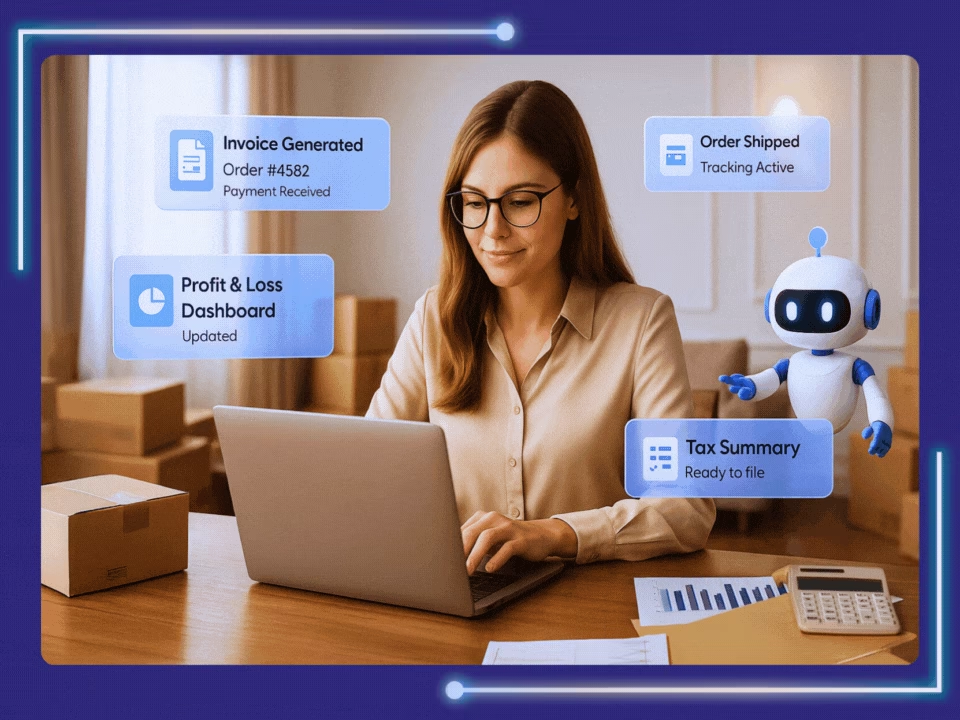
Automation can transform how e-commerce businesses handle key accounting tasks. With accounting automation, sales, refunds, and payments are synced in real time, reconciliations are simplified, inventory and expenses are tracked automatically, and financial reports are generated instantly, freeing you to focus on growth and strategic decisions.
Transaction Entry
Automation syncs sales, refunds, and payments directly and in real time to reduce input errors, eliminates manual daily posting, and ensures consistently updated books across all channels
Reconciliation
Automated tools instantly match payments from gateways (PayPal, Stripe) with bank deposits and transaction records, allowing staff to focus solely on resolving exceptions instead of checking every entry.
Expense Management
Expense trackers automatically categorise all expenses (shipping, marketing, fees) by importing data directly from accounts or receipts to avoid manual entry, clarifies actual business costs, and uses digital receipt storage.
Inventory Tracking
Automated inventory management systems update stock and COGS in real time across multiple platforms as orders are processed to prevent overselling and help maintain optimal stock levels.
Invoice and Billing
Automation software instantly generates customer invoices and sends scheduled payment reminders upon order confirmation. This maintains steady cash flow, reduces overdue accounts, and keeps all invoices accessible online.
Tax Compliance
Automated tax tools accurately calculate applicable rates (VAT, overseas sales, facilitator laws) for each sale and prepare ready-to-submit filing reports. This ensures e-commerce businesses stay compliant without extensive, time-consuming manual review.
Financial reporting
Automation instantly generates real-time reports like profit and loss, balance sheets, and cash flow by pulling data from all sales channels, helping business owners track performance and make faster, smarter financial decisions.
Top 5 Ecommerce Accounting Tools for UK Sellers: At a Glance
Xero, QuickBooks, SYNDER, Zoho Books, Sage, Tradebox, FreeAgent, A2X, Link My Books, and FreshBooks are among the best e-commerce accounting software for UK businesses. These tools help e-commerce accountants automate sales tracking, inventory management, tax reporting, and financial analysis, turning complex accounting tasks into streamlined, data-driven processes. Here’s a closer look at how each platform supports smarter, automated financial management for UK sellers.
1. Xero
- Automatically import online store sales/orders from platforms like Shopify, Amazon, eBay into Xero so you don’t manually enter each transaction.
- Sync inventory levels and multi-channel data (stores + marketplaces) with your accounting ledger, helping you avoid overselling.
- Automate revenue recognition, tax categorisation (including multi-currency if you sell internationally) and feeding that into financial reports and dashboards in real time.
- Use the app-store ecosystem to link specialised automation apps (for shipping, returns, listing, etc) to reduce manual bookkeeping tasks.
2. QuickBooks Online
- Automatically import sales channel data including orders, payouts, and fees from Shopify, Amazon, PayPal, and eBay into QuickBooks.
- Bank/credit-card feeds update automatically; set rules so transactions are categorised and matched without manual entry (helps with high-volume e-commerce).
- Automate recurring tasks such as summary reports, invoice and bill generation, and product or service codes linked to online store items.
3. SYNDER
- Reconcile data and match transactions in one click, including handling multicurrency, 0-duplicate entry, and fixing reconciliation issues.
- Automatically sync sales, fees, taxes and refunds from 30+ platforms (e.g., Shopify, Amazon, PayPal, Stripe) into your accounting system.
- Creates and syncs invoices automatically, closes them once payments are received, and sends automated reminders for overdue payments.
4. Zoho Books
- Enable two-way sync with the Zoho Commerce storefront so products, orders, payments, and customers automatically move between the store and the accounting system.
- Set up workflow rules in Zoho Books to automatically send emails, apply discounts, update fields, or trigger webhooks when a payment is received.
- Automate bank-feed imports, expense receipt capture, and categorisation so fewer manual entries useful when e-commerce generates many small transactions.
5. Sage Business Cloud Accounting
- Connect with payment gateways and e-commerce add-ons so that online orders/payments flow into Sage automatically.
- Built-in features for real-time dashboards and cashflow that update as transactions come in from your store/marketplaces, helpful for tracking performance during busy seasons.
- Automate stock and invoice flows by connecting store items to Sage, generating invoices automatically when orders are placed, and setting up alerts for reorder levels.
6. Tradebox
- Automatically create customers, invoices (or sales orders) and bank receipts in the accounting software based on sales channel data.
- Integrates multiple e-commerce/multi-channel sales and automatically imports orders into your accounting system.
- Calculates VAT per item/transaction depending on buyer destination, handles overseas/exports VAT rules, and generates MTD-compliant entries.
7. Freeagent
- Automatically builds real-time business accounts from bank statements, invoices and expenses you enter throughout the year.
- Automate recurring invoices and send automated payment reminders to debtors, reducing chasing time.
- Automatically categorises expenses and bank transactions (via feeds), so you spend less manual effort on classification.
8. A2X
- Designed for multi-channel e-commerce (Amazon, Shopify, eBay) to summarise sales/fees and push accurate entries into accounting software automates payout-reconciliation and fees split for improved accuracy.
- Automates the matching of marketplace settlements with accounting records, so you don’t manually reconcile numerous small transactions and fee lines.
- Especially valuable for businesses selling via multiple channels helps ensure accurate cost-of-goods, returns and multi-currency effects without manual bookkeeping.
9. Link My Books
- Automatically connects e-commerce platforms to accounting systems so orders, refunds, fees, and inventory flow into the ledger without the need for manual exports or imports.
- Helps consolidate multi-channel data, so the books reflect all your online sales channels with fewer manual interventions.
- Helps implement standardised coding/mapping of transactions across stores/marketplaces, a major time-saver for e-commerce owners facing seasonal peaks.
10. FreshBooks
- Automatically sends recurring invoices, applies late fees, and triggers payment reminders to keep cash flow consistent
- Uses OCR to capture and categorise expenses from uploaded or mobile-scanned receipts, helping e-commerce sellers stay audit-ready.
- Syncs directly with bank accounts to import transactions and auto-match them against invoices or expenses.
How to Connect Your Ecommerce Platforms to Your Accounting Software
Connecting your e-commerce platforms to your accounting software ensures accurate, real-time financial tracking, reduces manual data entry, and improves reporting efficiency. By integrating your online store with tools like QuickBooks, Xero, or Zoho Books, you can automatically sync sales, expenses, and inventory, allowing your business to make informed decisions and maintain compliance effortlessly.
- Choose Compatible Accounting Software – Ensure your software supports your e-commerce platform (Shopify, Amazon, WooCommerce, etc.) and can handle multi-currency transactions if required.
- Set Up API or App Integration – Use native integrations, apps, or third-party tools to link sales data and transaction records directly with your accounting system.
- Map Your Accounts and Categories – Align product sales, fees, taxes, and shipping with appropriate general ledger accounts to ensure accurate reporting.
- Test Data Sync – Import a small batch of transactions to verify accuracy and confirm that financial data flows correctly from the store to the accounting software.
- Automate Recurring Imports – Schedule automated syncing of orders, refunds, and fees to keep books updated without manual intervention.
- Monitor and Reconcile Regularly – Review synced data against bank statements and platform reports to catch discrepancies and maintain accurate records.
How to Choose the Right Accounting Software for Your UK Online Store
Selecting the right accounting software ensures your UK online store stays compliant, manages multi-channel sales efficiently, and provides clear financial visibility. The best choice aligns with your business needs, integrates seamlessly with platforms, automates VAT and MTD, and scales with growth.
1. Assess Your Business Needs
Start by listing the core accounting tasks you need automated: sales tracking, VAT and MTD compliance, inventory control, multi-channel integrations, payroll, or reporting. Smaller stores might prioritize ease of use and affordability, while larger merchants may need deeper features like multi-currency handling or advanced analytics.
2. Check for Ecommerce Integrations
Ensure the software connects seamlessly with your sales platforms (Shopify, WooCommerce, Amazon, eBay). Integration should automatically sync orders, refunds, fees, and payouts, reducing manual entry and reconciliation headaches. Tools like Xero, QuickBooks, Zoho Books, A2X, SYNDER, and direct platform apps can bridge services when native connections are limited.
3. VAT & MTD Support
For UK stores, VAT compliance and Making Tax Digital readiness are essential. Choose software that:
- Calculates VAT on sales and purchases automatically
- Generates accurate VAT reports
- Submits VAT returns directly to HMRC in MTD‑compliant formats
4. Scalability and Growth
Your business will evolve, make sure your accounting software can scale too. Look for platforms that handle increasing order volumes, support multiple sales channels, and offer advanced reporting as your products and transactions grow.
5. Ease of Use & Support
Consider your comfort level with accounting tech. A steep learning curve can slow you down. Prioritize software that offers helpful dashboards, intuitive workflows, and strong UK-based customer support or documentation.
6. Cost and Pricing Structure
Compare pricing, including monthly subscriptions, user limits, and add‑on costs (e.g., additional integrations or advanced features). Factor in long‑term value: the cheapest option isn’t always the most efficient.
7. Reporting and Data Insights
Reporting capabilities are critical for tracking performance. Choose software that provides real-time Profit & Loss, cash flow forecasts, invoice aging, and customisable dashboards. These insights help you make strategic decisions, plan inventory, and forecast tax obligations with confidence.
8. Security and Reliability
Your financial data should be secure. Ensure the solution offers encrypted backups, secure logins, and proper data protection, especially if you handle sensitive customer information and bank connections.
Take Your E-Commerce Accounting to the Next Level with Automation Experts
Choosing the best ecommerce accounting software in the UK can transform how you manage your online business. Automation streamlines sales, inventory, payments, and reporting, providing a clear, real-time view of your financial health while reducing manual errors.
At Whiz Consulting, we combine expert insight with leading tools like Xero, QuickBooks, NetSuite, Zoho Books, and Dynamics 365 to help UK businesses implement effective accounting automation. From daily transactions to comprehensive financial reports, our guidance ensures accuracy, compliance, and data-driven decision-making.
Take the next step and reshape your ecommerce accounting into a smarter, always-on financial engine that grows with your business!

Get customized plan that supports your growth

Have questions in mind? Find answers here...
Yes, many accounting software solutions automate VAT calculations and filings, accurately handling VAT rates and digital submissions to HMRC, reducing manual errors and time.
Automated accounting saves time, reduces errors, improves cash flow visibility, simplifies tax compliance, and keeps financial data updated in real time for smarter ecommerce decisions.
Integration can be done via built-in connectors or APIs. DIY setups suit smaller stores. Larger businesses may prefer expert help for smoother ecommerce accounting automation.
Costs vary with business size, invoicing volume, and services chosen. Small firms pay less; larger ecommerce companies with complex needs face higher fees for setup and support.
A skilled ecommerce accountant can enhance your software’s value by providing expert insights, optimising workflows, and handling complex tax issues beyond basic automation capabilities.
Thousands of business owners trust Whiz to manage their account
Let us take care of your books and make this financial year a good one.





This website uses cookies to improve your experience. You can accept all or reject non-essential cookies.