

Table of Content
Share This Article
- Last Updated: Nov 16, 2026
- 🔊 Listen
TL;DR
- Odoo Accounting connects invoicing, bank reconciliation, expense tracking, and financial reporting within one platform.
- Australian fiscal localisation provides preconfigured GST taxes, BAS and TPAR reporting, deferred GST support and ABA payment functionality.
- Businesses benefit from reduced manual data entry, connected financial records, improved cash flow visibility and accessible financial insights.
- Successful set-up requires accurate tax mapping, opening balance migration, bank configuration, workflow testing, and accounting review.
Odoo Accounting is an integrated accounting application that helps Australian businesses manage invoicing, expenses, reconciliation, taxes, and financial reporting from one system. For Australian businesses, the appeal is local compliance support built into the software. Odoo’s Australian fiscal localisation includes preconfigured GST taxes, deferred GST support, ABA payment files, and BAS and TPAR reports. However, the software still needs correct configuration, and the BAS figures it calculates must be reviewed and entered through the ATO portal, because Odoo doesn’t lodge them.
This guide explains Odoo Accounting’s key features, practical benefits and setup process. It also covers how Australian businesses can configure accounting settings to manage GST, maintain accurate financial records, and gain better visibility into their finances.

Need Help Setting Up Odoo?
Get expert support for your Odoo Accounting
What is Odoo Accounting software?
Odoo Accounting is the accounting application within the Odoo ERP suite. It records transactions through double-entry bookkeeping, manages customer invoices and vendor bills, reconciles bank accounts, and produces financial reports.
When a business confirms an invoice, bill, expense or inventory movement, Odoo generates the journal entries automatically. Since Accounting shares data with Odoo’s Sales, Purchasing and Inventory applications, the ledger reflects operational activity without re-keying. It also covers asset management, budgets, tax reporting and receivables and payables.
What are the key features of Odoo Accounting?
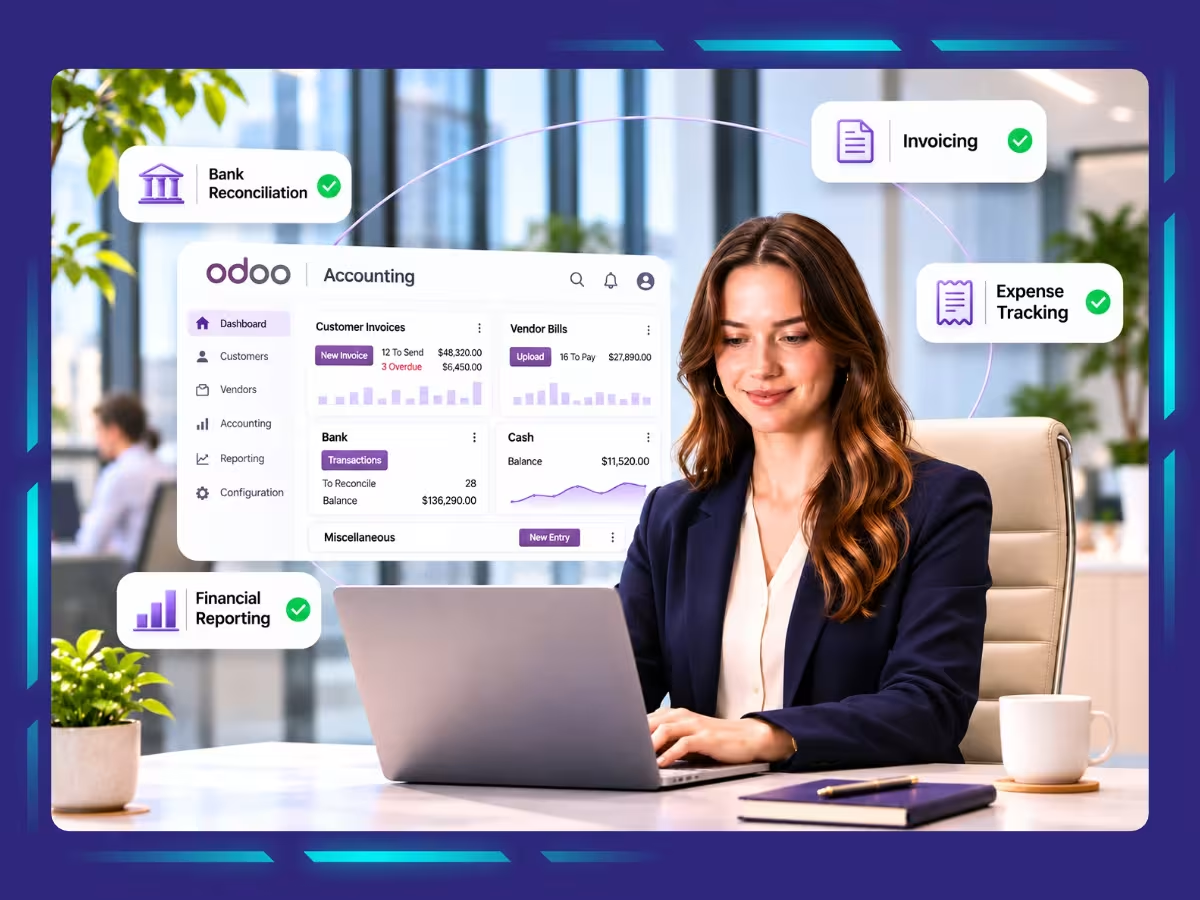
Odoo Accounting offers a range of features, including double-entry bookkeeping, customer invoicing, accounts payable, bank reconciliation, expense and asset management, financial reporting, and Australian-specific GST, BAS, ABA payment, and Peppol e-invoicing support.

Double-entry bookkeeping and automated journal entries
Odoo uses double-entry bookkeeping to record every financial transaction through corresponding debit and credit entries. When a business confirms a customer invoice, vendor bill, expense or inventory transaction, Odoo automatically generates the relevant journal entries.
This keeps the general ledger updated without requiring accountants to record each transaction manually.
Customer invoicing and accounts receivable
Odoo allows businesses to create customer invoices, configure payment terms and track outstanding payments. It also supports automated payment follow-ups, online payments and customer portals where clients can view, download and pay invoices.
Finance teams can monitor overdue balances and follow up on unpaid invoices directly within the application.
Vendor bills and accounts payable
Businesses can create vendor bills, record supplier payments and manage payment batches through Odoo Accounting. Its invoice digitisation feature uses OCR and AI to extract information from uploaded PDF or image documents, reducing manual data entry.
Your accountants can then review the extracted details before validating bills and posting transactions.
Bank synchronisation and reconciliation
Odoo integrates with 28,000 banks across the world. This means it can synchronise bank accounts to import statements and transactions directly into the accounting system. Its smart reconciliation tool uses machine-learning algorithms to match bank transactions against outstanding invoices and payments.
Expense and fixed asset management
Odoo supports expense recording and asset management within its accounting application. Businesses can track employee expenses, record asset purchases, and manage depreciation through configured asset models.
These functions help accountants maintain expense records and monitor how fixed asset values change over their useful lives.
Financial reporting and analytic accounting
Odoo provides financial reports that help businesses review their accounting position and see how they are performing. Its reporting capabilities include balance sheets, profit and loss statements, cash flow statements, and general ledger reports.
Analytic accounting also helps allocate costs and revenues across projects, departments or other business dimensions.
Australian GST and BAS reporting
Odoo’s Australian fiscal localisation package installs the Australian Accounting module and Australian Reports module. These modules provide country-specific tax configurations and reporting functionality.
Key capabilities of Odoo’s Australian Accounting module include:
- GST configuration: Preconfigured sales and purchase taxes cover standard GST, GST-free sales, input-taxed sales, capital purchases, and other tax treatments
- BAS reporting: Generates BAS figures for GST, PAYG tax withheld, and Deferred GST using configured tax grids
- TPAR reporting: Records relevant contractor payments using fiscal positions and tax mappings, with export options including PDF, XLSX and TPAR formats
- Deferred GST: Supports businesses using the Deferred GST scheme through specific tax configurations and accounting entries
ABA payment files and Peppol e-invoicing
Odoo’s Australian localisation also supports payment and electronic invoicing requirements relevant to Australian businesses.
- ABA payment files: Businesses can group supplier payments into batches and generate ABA files for uploading to their banking portals. This reduces the need to process multiple supplier payments individually.
- Peppol e-invoicing: Odoo can generate Peppol-compliant XML files for invoices and credit notes addressed to customers on the Peppol network
What are the benefits of using Odoo Accounting?
Odoo Accounting helps businesses reduce manual bookkeeping, connect financial data across departments and improve control over cash flow. It also simplifies Australian GST and BAS preparation, provides timely financial insights, and centralises accounting with other business operations.
- Simplified GST and BAS Preparation: Provides preconfigured Australian GST taxes and BAS reporting, helping businesses review GST collected and PAYG withholding figures before lodgement
- Better Cash Flow Visibility: Tracks customer receivables, overdue invoices, supplier bills and payment obligations, helping finance teams monitor collections and plan cash requirements
- More Accessible Financial Insights: Provides profit and loss statements, balance sheets, cash flow reports, and analytic accounting to help management assess profitability and monitor costs
- Less Manual Accounting Work: Automates journal entries, invoice processing and bank transaction matching, reducing repetitive data entry and giving accountants more time for financial reviews
- Connected Financial Records: Links accounting with sales, purchasing and inventory, allowing operational transactions to flow into financial records without repeated manual transfers
- Centralised Business Operations: Connects Accounting with other Odoo applications, reducing duplicate data entry and giving finance teams a consistent view of business transactions
7 Steps to set up Odoo Accounting for Australian businesses
Setting up Odoo Accounting requires selecting the Australian fiscal localisation package, reviewing the chart of accounts, configuring taxes, and connecting payment workflows.
Follow these steps to configure the Odoo Accounting application around your business operations and reporting requirements.
Select Australian fiscal localisation
Start by selecting Australia as the company’s country during initial configuration. Odoo automatically installs the core Australian localisation modules, including the accounting and reporting module.
These modules provide the Australian charts of accounts, GST configurations, BAS and TPAR reports, and ABA payment functionality. After installation, go to Accounting → Configuration → Settings and check the Fiscal Localisation package. Verify that Australia is selected before posting transactions, as Odoo restricts localisation changes once accounting entries exist.
Review the chart of accounts and company details
Once localisation is active, review the chart of accounts generated for your Australian company. Check that the accounts cover your business activities, including sales, operating expenses, bank balances, receivables, payables, and fixed assets.
Pay particular attention to the GST payable and GST receivable accounts because Odoo uses these accounts when generating BAS closing entries. Add or modify accounts where your reporting requirements demand them. Also, verify your company information and accounting configuration before importing financial data.
Configure GST taxes and BAS reporting
Odoo’s Australian localisation includes preconfigured GST sales and purchase taxes. However, businesses must verify that each tax applies correctly to their actual transactions.
For example, review the available configurations for:
- Standard 10% GST sales and purchases
- GST-free sales and purchases
- Input-taxed sales and related purchases
- Capital purchases and taxable imports
- Adjustments and deferred GST transactions
Next, review the tax grids that map transaction values to BAS reporting labels. Configure the tax return periodicity under Accounting → Configuration → Settings to match your reporting cycle.
Configure bank accounts and ABA payment processing
Add your business bank accounts as journals under Accounting → Configuration → Journals. Enter the relevant bank details and configure the account for outgoing payments. You can also connect supported bank feeds or import statements in compatible formats for reconciliation.
If your business pays multiple suppliers together, enable Batch Payments under Accounting settings. For ABA file generation, configure the bank journal with the required BSB, financial institution code, account holder details, and other bank-provided identifiers.
You must also add and verify supplier bank details before generating an ABA file. Odoo can then group approved supplier payments into a batch and generate an ABA file for uploading to your banking portal.
Import opening balances and existing accounting records
When moving from another accounting system, transfer the financial information needed to continue bookkeeping without losing historical context. Start with the closing trial balance from your previous system and use it to establish opening balances in Odoo.
Include relevant balances for:
- Bank and cash accounts
- Accounts receivable and outstanding customer invoices
- Accounts payable and unpaid supplier bills
- Fixed assets and accumulated depreciation
- GST balances and other relevant ledger accounts
Reconcile the imported figures against your previous system’s closing records. Also, pay particular attention to outstanding invoices and bills, as importing only ledger balances may not provide the actual information needed for ongoing payment tracking.
Set up customers, suppliers and electronic invoicing
Create customer and supplier records with their business details, payment terms, tax treatment and bank information. For contractors covered by TPAR reporting, assign the appropriate fiscal position before recording their bills. Odoo uses this configuration to apply the relevant tax mapping and collect contractor payment information.
If your business exchanges invoices through the Peppol network, configure electronic invoicing under each customer’s or supplier’s Accounting tab. Moreover, Odoo generates compliant XML files when you validate invoices or credit notes for Peppol partners.
Test accounting transactions before going live
Before processing live transactions, test the accounting workflows your business uses regularly. Create sample customer invoices, vendor bills, supplier payments and bank reconciliations. Check whether Odoo generates the expected journal entries and applies the correct GST treatment.
Also, generate a test BAS report and verify its figures against the underlying transactions and tax grids. If you use ABA payments or Peppol invoicing, test those workflows separately. Finally, reconcile the trial balance and review financial reports to identify configuration errors before moving to live operations.
Get more from Odoo Accounting with the right setup and support
Odoo Accounting gives Australian businesses a connected way to manage bookkeeping, invoicing, bank reconciliation and financial reporting. However, its effectiveness depends on how accurately businesses configure the workflows. A well-planned setup helps finance teams maintain reliable records and get more value from the system.
At Whiz Consulting, we help Australian businesses set up, configure, and manage Odoo Accounting around their financial processes. Our Odoo accounting services assist with data migration, GST configuration, workflow testing, reconciliations, and post-launch support.
We help businesses get their accounting systems running accurately while giving internal teams more time to focus on financial planning and business growth.

Get customized plan that supports your growth

Have questions in mind? Find answers here...
Odoo’s Australian fiscal localisation includes GST taxes, while the Australian Reports module provides BAS reporting for GST and PAYG withholding. However, accurate reports depend on correct tax mapping, account configuration, and transaction recording.
Odoo generates the BAS report and calculates the relevant figures for review, but it does not submit the report directly to the ATO. You must check the figures and manually enter them through the ATO portal.
Yes, Odoo Accounting suits Australian small businesses that need invoicing, expense tracking, bank reconciliation, and reporting. Its dynamic structure also allows businesses to add applications as their operational and accounting requirements grow.
Odoo Accounting alone does not provide complete Australian payroll processing or direct STP lodgement. Businesses need an appropriate payroll application or integration to manage employee payments, PAYG withholding and STP reporting requirements.
Businesses should review their accounting structure, GST requirements, reporting periods, bank integrations, and migration needs before set-up. They should also verify opening balances, tax mappings and financial reports with an Australian accounting professional before going live.
Thousands of business owners trust Whiz to manage their account
Let us take care of your books and make this financial year a good one.