


Table of Content
Share This Article
- Last Updated: Sep 1, 2026
- 🔊 Listen
TL;DR
- Business Central gives Australian businesses a single, controlled finance system instead of disconnected accounting tools.
- Strong pre-migration setup ensures GST, BAS, and reporting work correctly from day one, reducing downstream rework.
- Posting groups and dimensions automate accuracy while enabling meaningful performance analysis without bloating the chart of accounts.
- Day-to-day accounting flows end-to-end across AR, AP, banking, assets, and the general ledger, improving visibility and control.
- Built-in GST and BAS automation keeps compliance structured, traceable, and audit-ready without manual spreadsheets.
- Month-end closes become predictable through reconciliations, approvals, period controls, and real-time reporting.
- Business Central delivers the most value when configured and managed by accounting professionals who align the system to how the business actually operates.
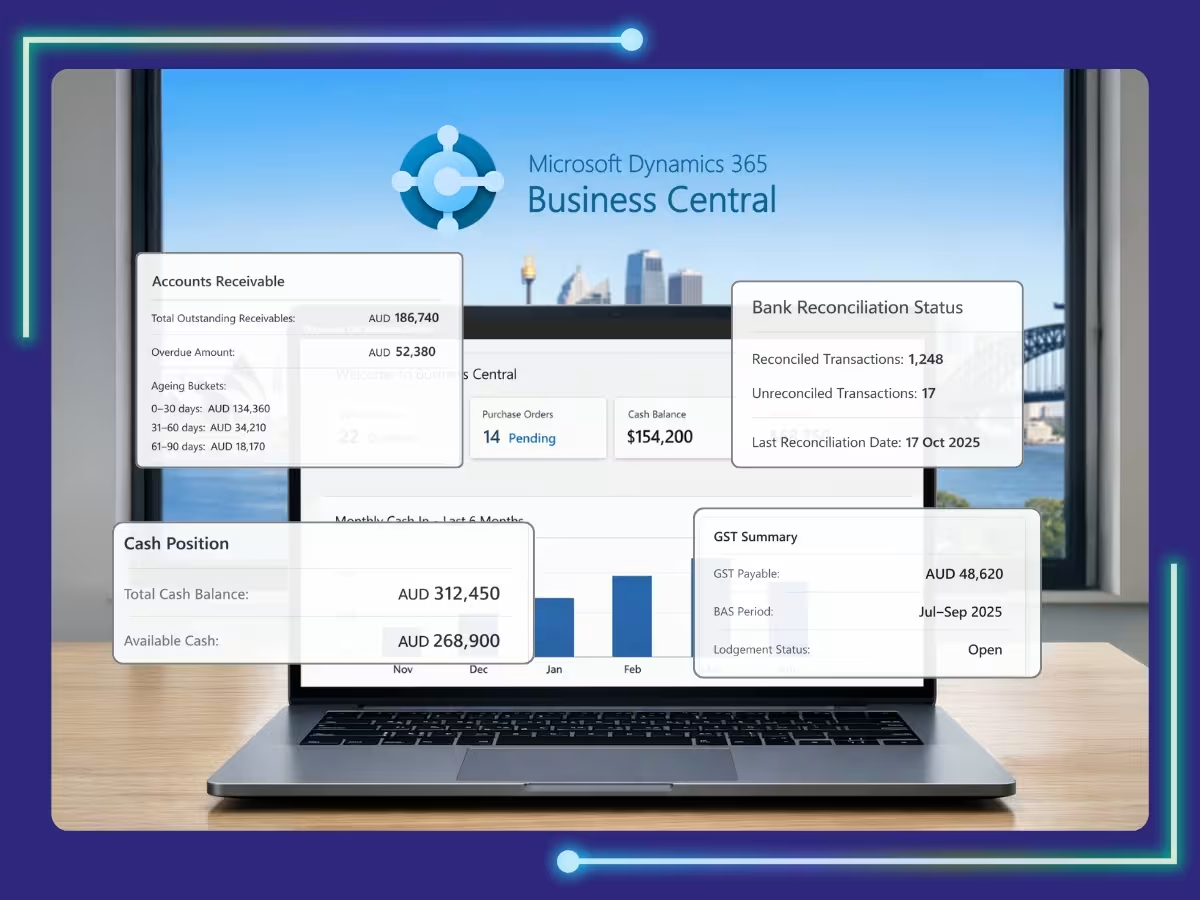
The Business Central accounting setup guide helps businesses understand how Microsoft Dynamics 365 Business Central brings finance, operations, and reporting together through a unified cloud-based platform.
For Australian businesses managing GST, BAS reporting, cash flow pressures, and growing ATO compliance requirements, Business Central provides a reliable financial management system with better automation, visibility, and control. With the right Business Central accounting setup guide, businesses can streamline financial processes, maintain compliance, and support scalable growth without adding operational complexity.
This practical guide walks through how Business Central works from an Australian accounting perspective. It covers pre-migration setup, core accounting processes, GST compliance, and consolidation, so you understand not just what the system does, but how to use it properly in real-world finance operations.

MS Dynamics, Refined
Automation Aligned With Your Accounting Strategy
Pre-Migration Setup: What to Configure Before Accounting in Business Central
Before any transactions are posted, Business Central must be structured correctly for Australian accounting and GST requirements. A strong setup reduces reconciliation issues, ensures BAS accuracy, and prevents rework later.
Chart of Accounts (COA) Setup
A well-structured Chart of Accounts ensures clean data flow, accurate reporting, and scalable operations, allowing outsourced accounting teams to manage books consistently across entities, locations, and reporting standards.
- For Australian businesses, the COA should align with standard categories: assets, liabilities, equity, income, cost of sales, and operating expenses.
- GST-related accounts should be clearly defined, including GST collected, GST paid, and GST clearing. This supports clean BAS reporting and easier reconciliation with ATO statements.
- Where management reporting requires detail, use sub-accounts rather than overloading the chart. Each account must be assigned the correct posting type to ensure transactions flow accurately to the balance sheet or profit and loss.
Posting Groups
Posting groups control how transactions from sub-ledgers post into the general ledger, ensuring accuracy, consistency, and correct financial reporting across all accounts. Key posting groups include:
- Customer posting groups: Control how sales, receivables, discounts, and customer-related taxes post to the general ledger. They ensure revenue and AR land in the correct accounts across different customer types.
- Vendor posting groups: Determine how purchases, payables, and vendor taxes are recorded. These groups keep AP, expenses, and accruals consistent, especially when working with multiple supplier categories.
- Bank account posting groups: Link bank transactions to the correct cash and clearing accounts. They ensure payments, receipts, and bank reconciliations flow cleanly without distorting cash balances.
- Inventory and item posting groups: Define how inventory purchases, sales, COGS, and stock adjustments are posted. These groups are critical for accurate gross margin reporting and inventory valuation.
- Fixed asset posting groups: Control how asset acquisitions, depreciation, disposals, and gains or losses are recorded. They keep your balance sheet aligned with depreciation policies and compliance requirements.
When configured correctly, posting groups automate ledger postings across sales, purchases, inventory, and assets. This reduces manual corrections and ensures consistency across the system, which is critical for accurate reporting and audits.
Dimensions Setup
Dimensions allow Australian businesses to analyse financial performance without expanding the COA, enabling flexible reporting across departments, projects, locations, and cost centres. Common dimensions include:
- Department – Tracks income and expenses by functional team
- Location or branch – Shows performance across offices or regions
- Project or job – Monitors profitability at a project level
- Cost centre – Controls and analyses operational spending
- Business unit – Separates results across divisions or lines of business
Business Central supports two global dimensions and multiple shortcut dimensions. Used properly, dimensions power profitability analysis, budget comparisons, and management reporting, especially for multi-site or project-based organisations.
Opening Balances Preparation
Clean opening balances are essential for a successful migration, ensuring accurate reporting, smooth reconciliations, and confidence in your financial data. This includes:
- General ledger balances
- Outstanding customer and supplier balances
- Bank balances with unreconciled transactions
- Inventory quantities and valuations
- Fixed assets with accumulated depreciation
Business Central uses specific journals, general journals, customer and vendor journals, item journals, and fixed asset journals for this data. Balances must be fully reconciled before posting to avoid inherited errors that distort future reports.
Master Data Migration
Before go-live, all master data must be reviewed, cleaned, and validated. This avoids posting errors, reduces rework, and ensures smooth day-one operations. This includes:
- Customers and suppliers – Correct names, tax details, and balances
- Items and units of measure – Accurate quantities, pricing, and conversions
- Bank accounts – Verified balances and correct mappings
- Fixed assets – Proper values, dates, and depreciation settings
- Payment terms – Aligned with commercial and cash-flow policies
- Posting group assignments – Validated to ensure transactions hit the right accounts
GST setup must be carefully reviewed so GST is calculated correctly from day one. Errors in master data almost always surface later as reporting or BAS issues.
Financial Periods & Number Series
Financial periods should align with the Australian financial year (1 July to 30 June). Accounting periods define when transactions can be posted, while period locking prevents backdated entries that could affect lodged BAS or financial statements.
Number series should be configured for invoices, credit notes, journals, payments, and assets. Clear sequencing improves audit trails and internal controls.
User Setup & Permissions
User access should reflect defined roles and segregation of duties to strengthen internal controls, reduce risk, and support audit and compliance requirements. Typical roles include:
- Accountant: General ledger, reconciliations, and reporting
- AP and AR processors: Payables, receivables, and transaction processing
- Finance manager: Approvals, oversight, and financial review
- Inventory controller: Stock movements and valuation control
- External accountant or auditor: Review-only or limited audit access
Permission sets and user groups reduce risk, limit unauthorised postings, and support governance. External access can be granted securely without compromising control.
What Are Core Accounting Processes in Business Central?
Once the foundation is in place, Business Central connects day-to-day accounting processes end-to-end. Sales, purchases, cash, assets, GST, reconciliations, and reporting all feed into a single general ledger, supported by accounting automation and controls.
Accounting for Sales (Accounts Receivable)
Sales accounting supports the full order-to-cash cycle with correct GST treatment. Sales invoices and credit notes use customer posting groups, GST product posting groups, and dimensions to ensure accurate revenue and GST reporting. Customer receipts are applied directly to outstanding invoices, keeping receivables clean.
Aged receivables report support debtor management and cash flow forecasting. Customer ledger entries provide a full audit trail of invoices, payments, credits, and adjustments.
Accounting for Purchases (Accounts Payable)
Accounts payable manages the procure-to-pay cycle with strong controls. Supplier invoices are posted with correct expense accounts and GST codes. Payments can be processed via EFT, cheque, or manual journals based on payment terms.
Approval workflows ensure invoices are reviewed before payment. Vendor ledger entries and aged payables report support liability management and working capital control.
Bank & Cash Management
Bank and cash management ensures visibility and control over liquidity. Business Central supports multiple AUD and foreign currency bank accounts. Bank feeds reduce manual entry, while reconciliation tools match statement lines to ledger entries efficiently.
Cash flow forecasts combine AR, AP, and bank data to project short- and medium-term cash positions.
Fixed Asset Management
Business Central supports the full asset lifecycle in line with Australian accounting standards. Assets are capitalised, depreciated, and disposed of using controlled processes. Multiple depreciation books allow parallel tracking for accounting and tax where required. Automated depreciation posting improves consistency and reduces manual effort.
General Ledger & Journal Management
The general ledger is the central accounting engine. Postings from sales, purchases, banks, inventory, and assets flow automatically into the ledger. General journals handle accruals, adjustments, and corrections; while recurring journals automate monthly entries. Account schedules support management and statutory reporting using live data.
Reconciliation Controls
Reconciliations ensure accuracy before close, helping identify discrepancies early and maintaining reliable financial records. This includes:
- Bank reconciliations: Matching cash balances to bank statements
- GST control account reviews: Validating tax postings and liabilities
- AR and AP ageing checks: Confirming receivables and payables accuracy
- Balance sheet reconciliations: Substantiating key accounts before reporting
Identifying and resolving issues early reduces pressure at month-end.
Period-End Close & Financial Reporting
Business Central supports disciplined month-end and year-end closes, improving accuracy, timeliness, and confidence in financial reporting.
Accruals, deferrals, and provisions ensure correct period recognition. Foreign currency revaluation updates balance automatically. Inventory close routines align costs with the general ledger.
Financial statements, trial balance, profit and loss, and balance sheet are generated directly from the system. Year-end close transfers profit to retained earnings without manual journals.
Power BI integration adds visual dashboards for management and board reporting.
Australian Tax & GST Compliance
Business Central is well-suited for Australian GST and BAS reporting. GST business posting groups and GST product posting groups control tax calculations, ensuring standard, GST-free, and input-taxed transactions are applied and reported accurately without manual intervention.
BAS reports are generated from posted transactions, supporting accurate reporting to the ATO. GST periods, adjustments, and submission history are tracked for audit purposes.
Intercompany & Consolidation
For Australian businesses, Business Central supports intercompany accounting and consolidation. Intercompany sales, purchases, and journals record transactions between entities. Consolidation combines financial data into a single reporting view, with elimination entries removing intercompany balances. Multi-currency support allows reporting across entities operating in different regions.
Work Smarter with a Business Central Accounting Professional by Your Side
A well-structured Business Central accounting setup guide helps businesses configure and manage Microsoft Dynamics 365 Business Central more effectively. When implemented correctly, Business Central becomes far more than bookkeeping software by simplifying reconciliations, improving GST compliance, and making month-end reporting more reliable and predictable.
Working with a Business Central accounting professional means your system reflects how your business actually operates. Controls are tighter, data is cleaner, and reports are decision-ready.
At Whiz Consulting, our Dynamics 365 accounting support for Australian businesses covers the full finance function. From day-to-day bookkeeping and reconciliations to GST, BAS, management reporting, and system optimisation, we help businesses get consistent results from Business Central, without constant firefighting or workarounds.

Get customized plan that supports your growth


Thousands of business owners trust Whiz to manage their account
Let us take care of your books and make this financial year a good one.