

Table of Content
Share This Article
- Last Updated: Oct 21, 2026
- 🔊 Listen
TL;DR
- Odoo Accounting is an application that helps Indian businesses manage financial workflows, including bookkeeping, invoicing, bank reconciliation, and financial reporting.
- Setting up Odoo involves configuring company details, the chart of accounts, journals, and workflows.
- Before going live, businesses should test tax calculations, account mappings, reconciliation results, and financial reports for accuracy.
- Integrating Sales, Purchase, Inventory, and Expenses connects accounting records with operational transactions for better financial visibility.
- Expert implementation and ongoing accounting support help businesses maintain accurate records and get more value from Odoo Accounting.
Odoo Accounting helps Indian businesses manage bookkeeping, invoicing, bank reconciliation, and financial reporting. Its India localisation supports GST-related accounting workflows, while additional modules enable e-invoicing, e-way bills, and other tax processes where configured.
In this guide, we’ll explore Odoo Accounting’s key features, explain how you can set it up for your Indian business, and examine how integrating other Odoo apps can connect accounting with sales, inventory, and other business operations.

Smarter Accounting Starts Here
Make the Most of Odoo with the Right F&A Support
What is Odoo Accounting?
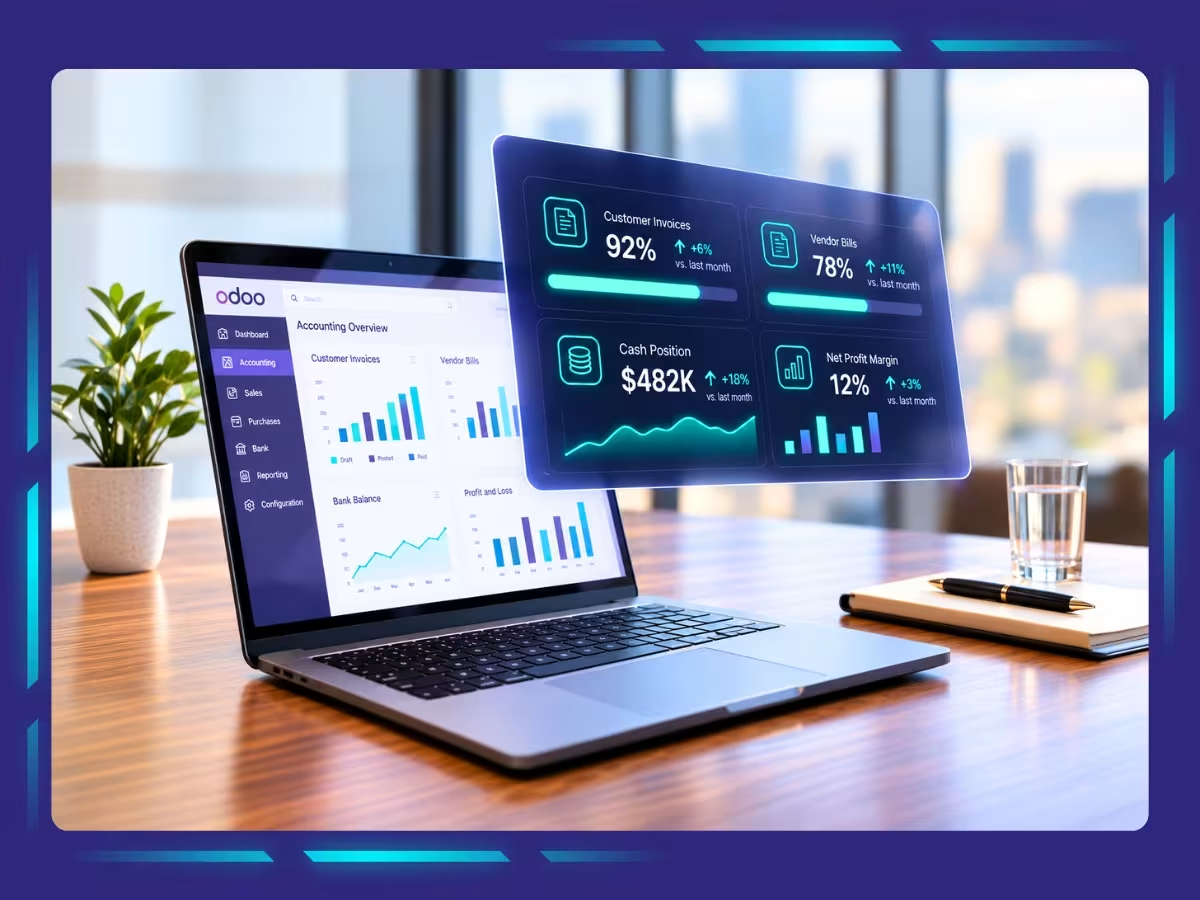
Odoo Accounting is an accounting application built into the Odoo ERP platform. You can create customer invoices, record vendor bills, reconcile bank transactions, track receivables and payables, and generate financial reports within the same application.
For Indian businesses, Odoo’s fiscal localisation package supports GST-related accounting tasks, including tax configuration, GST-compliant invoicing, and reconciliation.
What features does the Odoo Accounting module offer in India?
Odoo Accounting offers Indian businesses tools to manage GST configuration, e-invoicing, bookkeeping, bank reconciliation, and payment tracking. You can also connect accounting with sales, purchasing, and inventory to link financial records with day-to-day business transactions.
- GST Configuration and Compliance: Configure GST workflows for CGST, SGST, and IGST, with support for TDS/TCS configurations where available
- E-Invoicing and E-Way Bills: Generate electronic invoices and manage e-way bills through the required India-specific modules and government portal integrations
- Automated Bookkeeping and Bill Processing: Record financial transactions and extract data from vendor bills with Odoo Accounting’s AI-powered invoice data capture capabilities
- Bank Reconciliation: Odoo integrates with 28,000 banks across the globe and lets 95% of imported or synchronised bank transactions automatically match with records
- Integration With Other Odoo Apps: Connect Accounting with other Odoo apps, such as Sales, Purchase, and Inventory, to link customer invoices, supplier bills, and stock movements with financial records
How to set up Odoo Accounting for Indian businesses?
To set up Odoo Accounting for your Indian business, configure India localisation, company details, GST settings, chart of accounts, journals, and bank reconciliation. However, the exact setup depends on your business structure, applicable tax requirements, the Odoo version that you are using, and the modules your workflows require.

-
Configure your company details and Indialocalisation
Start by setting up your company profile in Odoo with the correct legal name, registered address, and reporting currency. Select India as your company’s country so the appropriate fiscal localisation can be applied during database setup.
Odoo’s India localisation package provides the country-specific accounting foundation. Depending on your requirements, you may need additional modules for GST reporting, e-invoicing, and e-way bill workflows.
Before proceeding, verify your GSTIN, PAN, state, and registration details. Incorrect company information can affect invoice generation and tax reporting, so verify these details before processing transactions.
-
Configure GST and applicable taxes
Next, configure the tax rules your business needs for its sales and purchases. Your setup should reflect the nature of each transaction, your GST registration, and the applicable tax treatment.
Test invoices with different transaction types before using them for live billing. GST treatment depends on the transaction’s specific circumstances, so avoid applying tax rules solely on the basis of a customer’s location.
-
Review your chart of accounts
Your chart of accounts determines how Odoo classifies and records financial transactions. Review the India-localised accounts and confirm that they reflect your business’s reporting requirements.
-
Set up journals and bank reconciliation
Configure the journals you need to record transactions, such as sales, purchases, bank payments, and cash receipts. Add your bank accounts and select a supported method for importing or synchronising bank transactions.
Once bank transactions are imported, Odoo’s AI-powered capabilities will match them against recorded invoices, bills, and payments. Review unmatched entries, duplicate transactions, bank charges, and timing differences rather than relying entirely on automated suggestions.
-
Configure invoicing and additional tax workflows
Set up customer invoice templates, payment terms, vendor bill processing, and any additional tax workflows your business requires. If your business falls under applicable e-invoicing requirements, configure the supported integration and complete the necessary credentials and testing.
-
Test your accounting workflows before going live
Before recording live transactions, run sample transactions through the complete accounting process. Check whether Odoo is recording the correct accounts, calculating configured taxes, updating receivables and payables, and reflecting transactions accurately in financial reports.
Which apps can you integrate with Odoo Accounting?
Odoo ERP offers a suite of connected applications that link Accounting with Sales, Purchasing, Inventory, Expenses, and other operations. These integrations help you carry out a number of business operations within the same ERP.
These are some of the apps you can integrate with Odoo Accounting.
- Sales: Create customer invoices from sales transactions and track revenue, receivables, and outstanding payments
- Purchase: Connect purchase orders and vendor bills to review supplier charges and manage accounts payable
- Inventory: Connect inventory operations with accounting to track stock valuation and related costs
- Expenses: Manage employee expense claims, approvals, and reimbursement-related accounting entries
- Documents: Organise invoices and supporting financial documents for easier retrieval during accounting reviews
- Point of Sale (POS): Connect shop transactions with sales and payment records to support accounting for retail operations
- Project: Track project-related activities and, where configured, connect billable work with customer invoicing
Get reliable accounting support for your growing business
Odoo Accounting comes with a lot of features and helps you carry out a number of operations within one system. However, using the application effectively requires appropriate configuration and a clear understanding of its accounting workflows.
At Whiz Consulting, our team of expert virtual accountants know how to use advanced accounting software, including Odoo. We help Indian businesses manage bookkeeping, bank reconciliations, accounts payable and receivable, and financial reporting within the app. With our reliable support, you can review financial performance and make better-informed business decisions.

Get customized plan that supports your growth

Have questions in mind? Find answers here...
Yes, Odoo Accounting is suitable for Indian small businesses, particularly those seeking an all-in-one ERP system. It links accounting records directly to sales transactions, inventory movements, and manufacturing costs, giving a connected view of business operations and finances.
Odoo’s India localisation supports GST-related accounting workflows, including tax configurations and e-invoicing features. However, you must configure the relevant modules, tax settings, and integrations correctly to meet your business’s applicable GST requirements.
Odoo provides Indian e-invoicing and e-way bill integrations through its localisation modules. Further availability of features depends on the version of Odoo and the modules you are using.
Odoo’s India localisation package includes configurations for TDS and TCS workflows, depending on the version and modules you have implemented. You should verify the required tax rules, reporting capabilities, and applicable statutory requirements instead of completely relying on Odoo for tax compliance.
An accountant or implementation specialist can help configure tax rules, map accounts, validate opening balances, and test financial reports in Odoo Accounting. Expert support is particularly useful when migrating from existing software or handling complex GST, TDS, inventory, or multi-entity requirements.
Thousands of business owners trust Whiz to manage their account
Let us take care of your books and make this financial year a good one.